Monday, March 4, 2013

I Love Geocaching!

Taking my students geocaching across the Shorecrest campus is one of my favorite activities. Typically I geocache a bit later in the year, but I just had to take advantage of the beautiful weather we had last week. So, I setup caches for both the second and fourth graders.

As the second graders have been learning about the seven continents, I thought it fitting to also learn about some of the different bodies of water around the world. Hidden inside their caches were slips of paper listing the names of the oceans as well as gulfs, seas, bays, and rivers. After a class discussion about the differences between these bodies of water, students used WorldBook for Kids to research a specific body of water. Next they will write, illustrate, and record riddles to share with each other.


The fourth graders have been studying the concepts of latitude and longitude in math, so learning how to use a handheld GPS receiver was a wonderful hands-on opportunity to better understand absolute location. They also learned how to track distance and use the built-in compass. Hidden inside their caches were coordinates and riddles related to famous places important during the American Revolution.  Back in the lab, the students used Google Earth to look up the coordinates to figure out the important city or colony named in their riddle.


Sunday, February 10, 2013

Pixie Introduced in Kindergarten

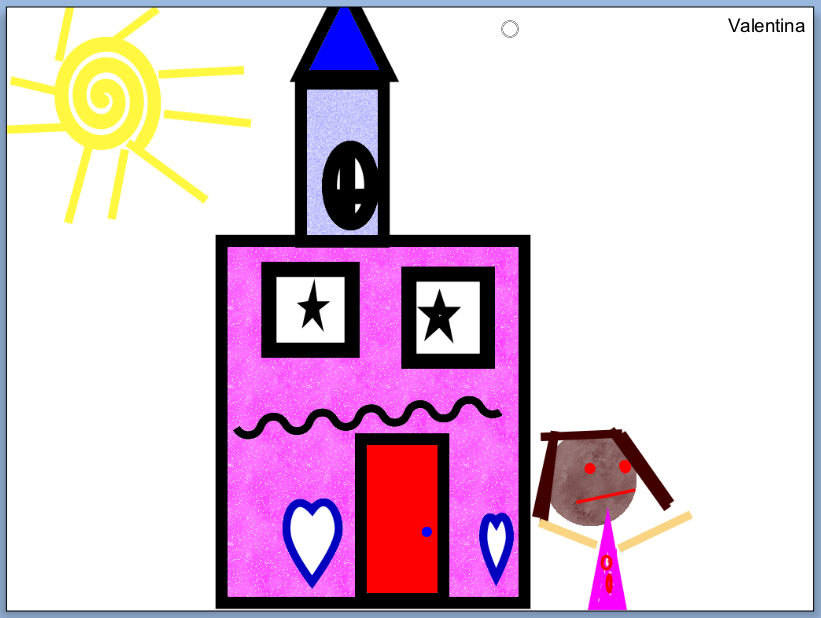
Since returning to school after winter break, the kindergarten students have been learning how to use a new technology tool, Pixie.  Pixie allows students to draw pictures, publish stories, and create slideshows using original artwork, images, video, and voice narration.  During the initial introduction students were introduced to six basic drawing tools including their favorite, a 3-dimensional brush. Last week, students practiced using the shape tools and fill bucket. Each student was challenged to draw a picture utilizing at least five different shapes. Next week they will be introduced to the text tool to label and add writing to their pictures. Here are some wonderful examples of their creativity:


Sunday, January 6, 2013

'Harlem 1958'
Photo by Art Kane
http://harlem.org/images/mainimage.jpg
At the end of January, the 4th graders will be performing in their annual show We Haz Jazz.

To help prepare for their roles, the students worked with partners to research a famous American jazz musician and then share what they learned using the online tool, Glogster.

Each group was asked to share 15 facts about their musician and include at least three pieces of media such as pictures and videos on their glog.

Students also learned about the importance of properly documenting media according to 'Fair Use Guidelines'. You can check out their amazing glogs here.

Wednesday, December 19, 2012

Comparing Native American Tribes of Florida

During their last rotation, third graders spent time researching Native American tribes as a culminating project for their social studies unit on Florida. Students individually researched one of five tribes - Apalachee, Calusa, Timucua, Tequesta, and Tocobaga - utilizing links provided through my Symbaloo page. The first two days focused on how to read for information from a website and how to take notes. The following questions helped guide their research:

  • In what part of Florida did your tribe live?
  • When did your tribe arrive in Florida?
  • What kind of houses did your tribe build?
  • What language did your tribe speak?
  • What did your tribe do for food?
  • Was your tribe peaceful?
  • What tools and weapons were used by your tribe? 
  • What was the father's role? Mother's role.
  • What was used for clothing?
  • What are some important customs of your tribe?
  • Where is your tribe today?
On their last visit, students were partnered with a class member who had researched a different tribe. Using a Venn Diagram template through Inspiration, they added text boxes and images to compare and contrast the two tribes. Here is an example of a finished project:


Thursday, December 13, 2012

2nd Grade Begins Work on Electronic Portfolios

During the second grade year, each child works with their classroom teacher to create an electronic portfolio highlighting their work for the year. The portfolios are created using the online tool, VoiceThread. The portfolio includes writing samples, classroom projects, technology projects, art work, photographs, and reflections about the year.

This year, the students will use both the computer as well as iPads to work on their portfolios. Just this week, they learned how to access the VoiceThread app, sign in, navigate through slides, and record themselves speaking in Spanish, reciting alliterations, or reading reflections about Poetry in the Park. The students also learned how to add text comments as well as titles to their slides.

I can't tell you how excited I am about using the iPads for this purpose. It helps make the development of the portfolios a student-driven rather than teacher-driven project.

Thursday, November 29, 2012

Third Graders Reflect About Legos

During the 3rd grade unit on Lego robotics, I challenged my students to reflect about what they have learned while building and programming the different projects. Each partnership keeps a journal where they record the building process, keep project explorations, write reflections, and answer questions about how each project they build works. They also use digital cameras to document their constructions.

Here are some reflections to the question "What did you learn by working on this project?" from Mrs. Hensler's class.

"As the projects get bigger, they get more complicated." - Quentin, Julian, JC

"We learned to work together as a group." - Hannah, Annie, Skyler

"We learned how gears work." - Cian, Jake, Chris

"We learned that compound machines are made up of simple machines." - Julia, Zara, Devyn

"We learned how to activate sensors and motors and how to fit gears together. We also learned TEAMWORK!" - Luke and JT

When building the dancing birds, "we learned the motor spins the first gear and that spins the pulley system for the second bird to move." - Lizzie, Anna, Isabella

This week the students will use the photos and journals to create ComicLife posters highlighting their work over the last few weeks.


Monday, November 5, 2012

Special University Visitors

Today I took a break from my typical Monday teaching schedule to welcome some visitors to Shorecrest. It was a privilege to tour Dr. Isa Jahnke from Umea University in Sweden and Dr. Swapna Kumar from the University of Florida through Lower Division and Early Childhood classrooms. The purpose of their visit, to observe how our teachers and students are using iPads to enhance teaching and learning.

There are many 1:1 initiatives currently being implemented throughout Scandinavia, and Dr. Jahnke is interested in learning how other countries introduce mobile technologies to teachers and students, as well as how schools support teachers in the implementation process. I spent time discussing Shorecrest's 5th-12th grade initiative for the 2013-2014 school year as well as our plans to integrate iPads with the younger students. I shared examples of apps that we are using as well as the different professional development opportunities, both formal and informal, that are taking place to help prepare teachers. We also discussed my role as an Instructional Technologist, a position not usually found in Scandinavian schools.

Here are some of the wonderful ways they observed teachers using iPads today.

Second graders in Mrs. McKenzie's class worked with partners to research individual species of penguins. Each partnership was asked to answer eight essential questions about their penguin as well as other interesting facts on a recording paper. Rather than searching independently on the Internet, students used a 'short cut app' created through Safari that took them directly to a site with pre-selected resources.

First graders worked in small groups with Mrs. Raumann to practice writing words families. Using a whiteboard application, they worked on spelling words with short vowel sounds as well as consonant blends. This activity also worked on the students fine motor skills as they practiced writing their words with only lower case letters.

The Junior Kindergarten teachers started the day by showing a YouTube video on the Seminoles of Florida. The students were able to see traditional dances along with clothing worn by the tribe. The iPads were then used to show other videos along with images to the children at their morning centers as they crushed fruits to make dye, created their own headdresses, and participated in other Native American related activities.

Kindergarten students worked with the application Monkey MathSchool Sunshine to reinforce math concepts such as shape, pattern, sequence, less/more, and counting sets.

Dr. Jahnke and Dr. Kumar were impressed with the overall program and work students were doing in the classrooms as well as the openness of the campus and classroom spaces. Of course, the students were wonderful about having visitors. After quick hellos, they would always get right back to work.