When researching with young children, I typically utilize a Symbaloo to organize sites by different topics and to make access easy. Symbaloos are simple to create and edit, and are easy to pull up both on computers as well as the iPads. Just last week, the first grade students launched their individual research on ocean animals using sites provided on Symbaloo to get started. Here is the link to my page: http://www.symbaloo.com/mix/ldcomputerlab
Fourth grade students, on the other hand, begin practicing their own searching skills to learn about individual states during colonial times. Rather than using Google, which is really geared more toward adults, I introduced students to several more kid-friendly search engines. Some of my favorites include Kid Rex, Boolify, and Quintera for Kids. I also started to use a new search tool called Instagrok.
What makes Instagrok different is how it utilizes both a visual and traditional interface to help kids see connections between topics and ideas. Kids are able to customize their search and even share their results with others. Searches can also be saved for later reference. Check it out at www.instagrok.com
Tuesday, April 23, 2013
Wednesday, April 10, 2013
New Word Cloud Site
This week I came across a new 'word cloud' site called Word Clouds for Kids. Sponsored by www.ABCya.com, this site allows students to input text to create a graphical representation from a block of text or other list of words. If words are entered more than once, they are given more prominence in a word cloud.
The idea of creating word clouds is not new. Websites like Wordle, Tagxedo, and WordItOut have been around for many years and have been used effectively by our students. What is different about Word Clouds is its easy to use interface. It is also Flash-based rather than Java-based. Word Clouds is recommended for grades 2-5 but can easily be used by younger students as well.
Here are some of the ways our students have been using word cloud sites this year:
Introduce themselves at the beginning of the year
Practice spelling words
Build story or character clouds based on a book
Create USA clouds
Reinforce vocabulary words
Review important terms and concepts when reviewing a chapter
Reflecting on a project or activity
The idea of creating word clouds is not new. Websites like Wordle, Tagxedo, and WordItOut have been around for many years and have been used effectively by our students. What is different about Word Clouds is its easy to use interface. It is also Flash-based rather than Java-based. Word Clouds is recommended for grades 2-5 but can easily be used by younger students as well.
Here are some of the ways our students have been using word cloud sites this year:
Introduce themselves at the beginning of the year
Practice spelling words
Build story or character clouds based on a book
Create USA clouds
Reinforce vocabulary words
Review important terms and concepts when reviewing a chapter
Reflecting on a project or activity
Thursday, March 28, 2013
Scratch Projects... Finally!
Thank you to the very patient third grade students who have been anxiously awaiting for me to post their final Scratch projects from their last rotation in the lab. They all did an amazing job! I can't wait to share their projects with the first and second graders over the next few weeks. You can access the projects here.
Tuesday, March 26, 2013
It has been a busy few weeks so far in the Technology Lab. Many grade levels are immersed in research projects, and it is always wonderful watching the children as they engage in learning about new topics.
Kindergarten has launched individual research projects on animals and have been introduced to the online encyclopedia World Book for Kids (WBK) to help learn about them. WBK is not only easy to navigate but it has a text-to-speech option which allows the children to have the articles read to them.
The children began recording facts on a graphic organizer and will continue their research in the classrooms. They are learning about how their animal looks, how it moves, where it lives, what it eats, and other interesting facts.
Second grade wrapped up research on various bodies of water last week. This week they used Pixie to write and illustrate riddles they will share with each other. Here are some examples:
Third graders spent several days working with partners to research European explorers. This week they will begin work on creating multimedia slideshows using Pixie. Each team will create a slideshow that will include audio, hand-drawn images, images from the Internet and text. The slideshows will cover the explorer's early life, reasons for travel, expeditions plus other interesting facts.
Kindergarten has launched individual research projects on animals and have been introduced to the online encyclopedia World Book for Kids (WBK) to help learn about them. WBK is not only easy to navigate but it has a text-to-speech option which allows the children to have the articles read to them.The children began recording facts on a graphic organizer and will continue their research in the classrooms. They are learning about how their animal looks, how it moves, where it lives, what it eats, and other interesting facts.
Second grade wrapped up research on various bodies of water last week. This week they used Pixie to write and illustrate riddles they will share with each other. Here are some examples:
Third graders spent several days working with partners to research European explorers. This week they will begin work on creating multimedia slideshows using Pixie. Each team will create a slideshow that will include audio, hand-drawn images, images from the Internet and text. The slideshows will cover the explorer's early life, reasons for travel, expeditions plus other interesting facts.
Monday, March 4, 2013
I Love Geocaching!
Taking my students geocaching across the Shorecrest campus is one of my favorite activities. Typically I geocache a bit later in the year, but I just had to take advantage of the beautiful weather we had last week. So, I setup caches for both the second and fourth graders.
As the second graders have been learning about the seven continents, I thought it fitting to also learn about some of the different bodies of water around the world. Hidden inside their caches were slips of paper listing the names of the oceans as well as gulfs, seas, bays, and rivers. After a class discussion about the differences between these bodies of water, students used WorldBook for Kids to research a specific body of water. Next they will write, illustrate, and record riddles to share with each other.
The fourth graders have been studying the concepts of latitude and longitude in math, so learning how to use a handheld GPS receiver was a wonderful hands-on opportunity to better understand absolute location. They also learned how to track distance and use the built-in compass. Hidden inside their caches were coordinates and riddles related to famous places important during the American Revolution. Back in the lab, the students used Google Earth to look up the coordinates to figure out the important city or colony named in their riddle.
Sunday, February 10, 2013
Pixie Introduced in Kindergarten
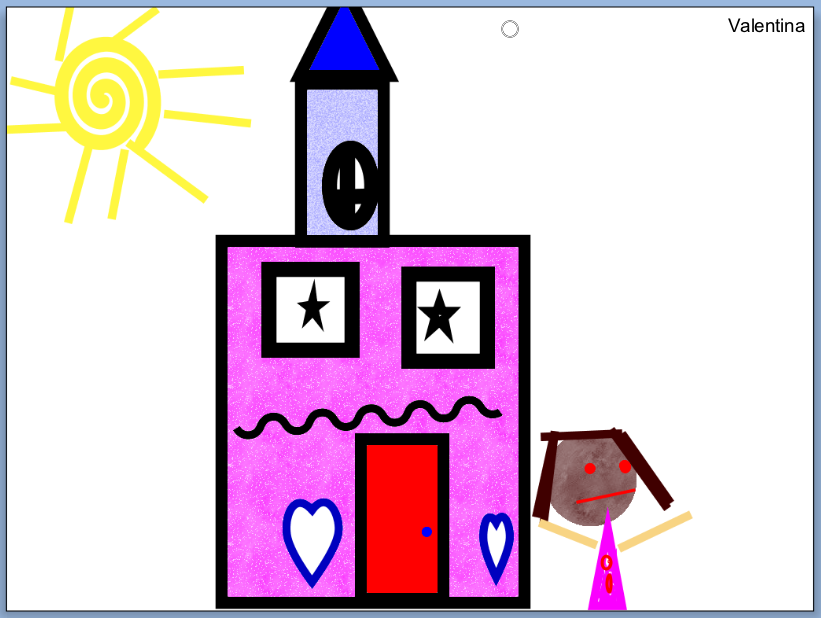
Since returning to school after winter break, the kindergarten students have been learning how to use a new technology tool, Pixie. Pixie allows students to draw pictures, publish stories, and create slideshows using original artwork, images, video, and voice narration. During the initial introduction students were introduced to six basic drawing tools including their favorite, a 3-dimensional brush. Last week, students practiced using the shape tools and fill bucket. Each student was challenged to draw a picture utilizing at least five different shapes. Next week they will be introduced to the text tool to label and add writing to their pictures. Here are some wonderful examples of their creativity:
Sunday, January 6, 2013
| 'Harlem 1958' Photo by Art Kane http://harlem.org/images/mainimage.jpg |
To help prepare for their roles, the students worked with partners to research a famous American jazz musician and then share what they learned using the online tool, Glogster.
Each group was asked to share 15 facts about their musician and include at least three pieces of media such as pictures and videos on their glog.
Students also learned about the importance of properly documenting media according to 'Fair Use Guidelines'. You can check out their amazing glogs here.
Subscribe to:
Posts (Atom)