
Thursday, March 28, 2013
Scratch Projects... Finally!

Tuesday, March 26, 2013
It has been a busy few weeks so far in the Technology Lab. Many grade levels are immersed in research projects, and it is always wonderful watching the children as they engage in learning about new topics.
 Kindergarten has launched individual research projects on animals and have been introduced to the online encyclopedia World Book for Kids (WBK) to help learn about them. WBK is not only easy to navigate but it has a text-to-speech option which allows the children to have the articles read to them.
The children began recording facts on a graphic organizer and will continue their research in the classrooms. They are learning about how their animal looks, how it moves, where it lives, what it eats, and other interesting facts.
Second grade wrapped up research on various bodies of water last week. This week they used Pixie to write and illustrate riddles they will share with each other. Here are some examples:


Third graders spent several days working with partners to research European explorers. This week they will begin work on creating multimedia slideshows using Pixie. Each team will create a slideshow that will include audio, hand-drawn images, images from the Internet and text. The slideshows will cover the explorer's early life, reasons for travel, expeditions plus other interesting facts.
Kindergarten has launched individual research projects on animals and have been introduced to the online encyclopedia World Book for Kids (WBK) to help learn about them. WBK is not only easy to navigate but it has a text-to-speech option which allows the children to have the articles read to them.The children began recording facts on a graphic organizer and will continue their research in the classrooms. They are learning about how their animal looks, how it moves, where it lives, what it eats, and other interesting facts.
Second grade wrapped up research on various bodies of water last week. This week they used Pixie to write and illustrate riddles they will share with each other. Here are some examples:
Third graders spent several days working with partners to research European explorers. This week they will begin work on creating multimedia slideshows using Pixie. Each team will create a slideshow that will include audio, hand-drawn images, images from the Internet and text. The slideshows will cover the explorer's early life, reasons for travel, expeditions plus other interesting facts.
Monday, March 4, 2013
I Love Geocaching!
Taking my students geocaching across the Shorecrest campus is one of my favorite activities. Typically I geocache a bit later in the year, but I just had to take advantage of the beautiful weather we had last week. So, I setup caches for both the second and fourth graders.
As the second graders have been learning about the seven continents, I thought it fitting to also learn about some of the different bodies of water around the world. Hidden inside their caches were slips of paper listing the names of the oceans as well as gulfs, seas, bays, and rivers. After a class discussion about the differences between these bodies of water, students used WorldBook for Kids to research a specific body of water. Next they will write, illustrate, and record riddles to share with each other.


The fourth graders have been studying the concepts of latitude and longitude in math, so learning how to use a handheld GPS receiver was a wonderful hands-on opportunity to better understand absolute location. They also learned how to track distance and use the built-in compass. Hidden inside their caches were coordinates and riddles related to famous places important during the American Revolution. Back in the lab, the students used Google Earth to look up the coordinates to figure out the important city or colony named in their riddle.


Sunday, February 10, 2013
Pixie Introduced in Kindergarten
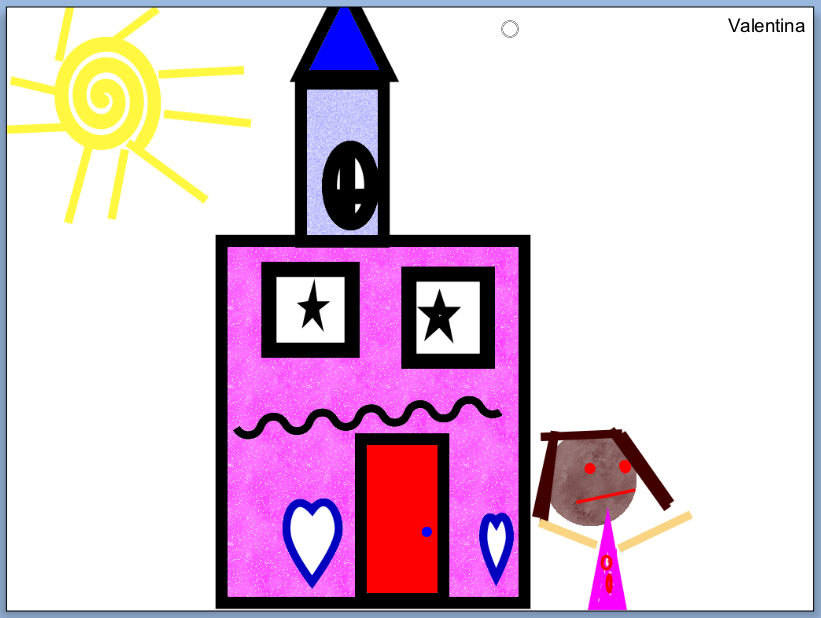
Since returning to school after winter break, the kindergarten students have been learning how to use a new technology tool, Pixie. Pixie allows students to draw pictures, publish stories, and create slideshows using original artwork, images, video, and voice narration. During the initial introduction students were introduced to six basic drawing tools including their favorite, a 3-dimensional brush. Last week, students practiced using the shape tools and fill bucket. Each student was challenged to draw a picture utilizing at least five different shapes. Next week they will be introduced to the text tool to label and add writing to their pictures. Here are some wonderful examples of their creativity:


Sunday, January 6, 2013
 |
| 'Harlem 1958' Photo by Art Kane http://harlem.org/images/mainimage.jpg |
To help prepare for their roles, the students worked with partners to research a famous American jazz musician and then share what they learned using the online tool, Glogster.
Each group was asked to share 15 facts about their musician and include at least three pieces of media such as pictures and videos on their glog.
Students also learned about the importance of properly documenting media according to 'Fair Use Guidelines'. You can check out their amazing glogs here.
Wednesday, December 19, 2012
Comparing Native American Tribes of Florida
During their last rotation, third graders spent time researching Native American tribes as a culminating project for their social studies unit on Florida. Students individually researched one of five tribes - Apalachee, Calusa, Timucua, Tequesta, and Tocobaga - utilizing links provided through my Symbaloo page. The first two days focused on how to read for information from a website and how to take notes. The following questions helped guide their research:

- In what part of Florida did your tribe live?
- When did your tribe arrive in Florida?
- What kind of houses did your tribe build?
- What language did your tribe speak?
- What did your tribe do for food?
- Was your tribe peaceful?
- What tools and weapons were used by your tribe?
- What was the father's role? Mother's role.
- What was used for clothing?
- What are some important customs of your tribe?
- Where is your tribe today?
On their last visit, students were partnered with a class member who had researched a different tribe. Using a Venn Diagram template through Inspiration, they added text boxes and images to compare and contrast the two tribes. Here is an example of a finished project:

Thursday, December 13, 2012
2nd Grade Begins Work on Electronic Portfolios

This year, the students will use both the computer as well as iPads to work on their portfolios. Just this week, they learned how to access the VoiceThread app, sign in, navigate through slides, and record themselves speaking in Spanish, reciting alliterations, or reading reflections about Poetry in the Park. The students also learned how to add text comments as well as titles to their slides.
I can't tell you how excited I am about using the iPads for this purpose. It helps make the development of the portfolios a student-driven rather than teacher-driven project.
Subscribe to:
Posts (Atom)